API Key Management and Certificate Export
This functionality was added in version 2.2.7.
Starting with version 2.2.8, you can export a certificate after signing in on this page to support cross-platform use. You can also continue to sign in and use the API with a certificate issued through Fubon Securities' Certificate e-Manager.
You can continue to sign in to and use the API with your existing trading account password and certificate.
API Key is an optional feature that provides greater security and flexibility for users with advanced requirements. Learn why to choose an API Key →
Why Choose an API Key?
- Granular permission control: Limit a key to specific functions (for example, allow market data queries but prohibit order placement).
- IP allowlist: Allow access only from specified IP addresses to reduce external risk.
- Quick revocation: Disable a key at any time without affecting the primary account.
This feature is not mandatory, but enabling an API Key is recommended if you want greater security or a more flexible integration method.
Please note: When the API Key list changes (when a key is added or removed), all sessions logged in using an API Key will be forcibly logged out.
The forced-disconnection mechanism for API Key permission changes now disconnects only the affected key.
(Example: If key1 and key2 are both logged in and key1 is deleted, the key1 session is forcibly disconnected; the key2 session is unaffected.)
Apply for a Certificate
Before applying for an API Key, you must first apply for a web certificate. You can then proceed with the API Key application.
-
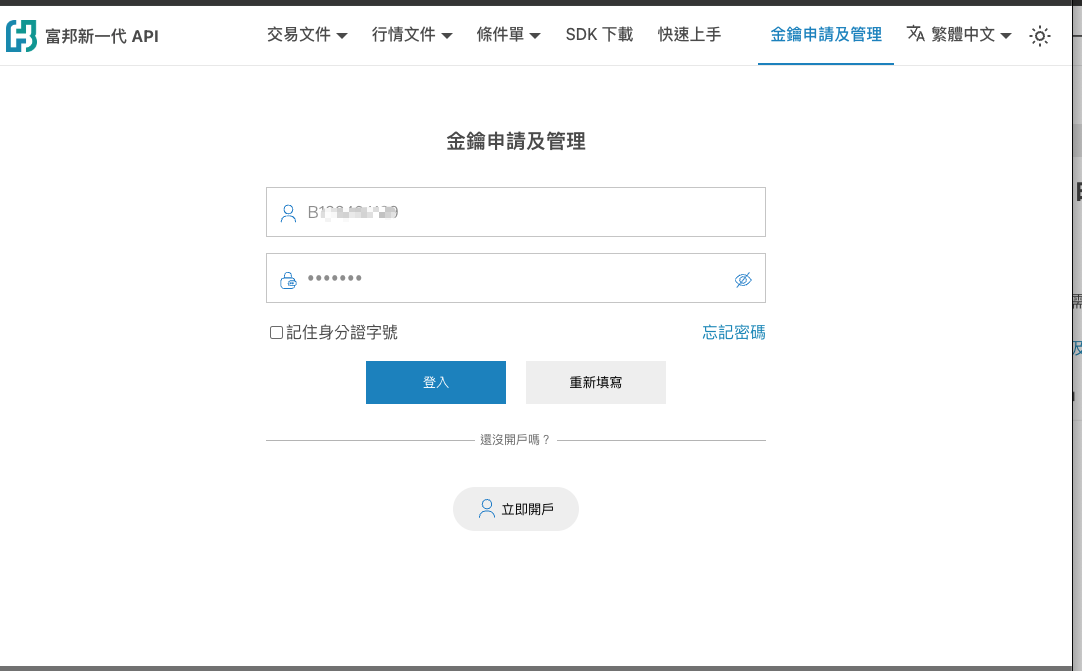
Enter your national ID number and electronic platform password.
-
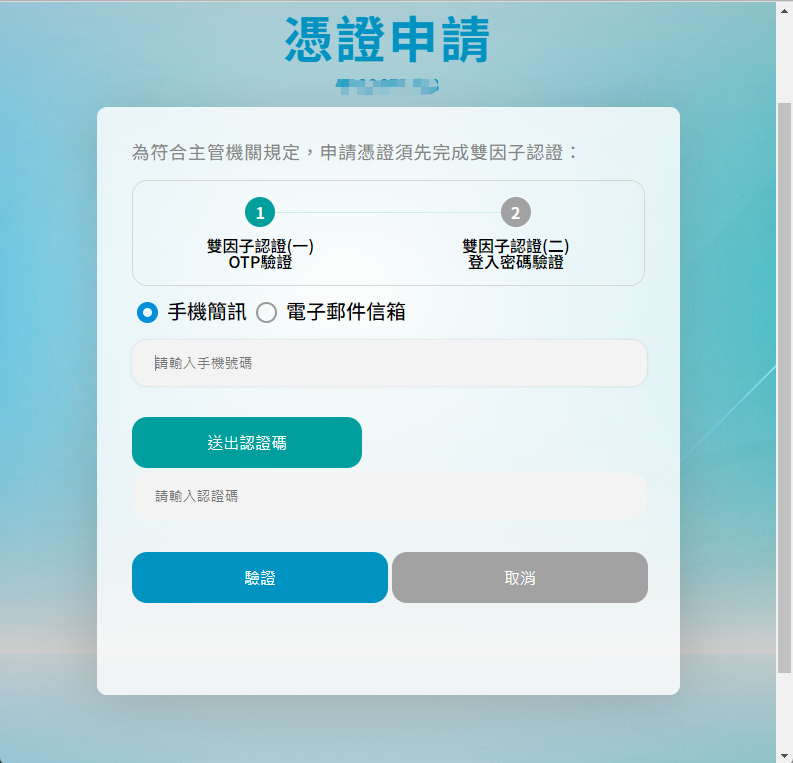
Apply for a web certificate and receive the OTP.
-
After the certificate application is complete, you can export the certificate and add a key.

When the system prompts you for the certificate password, use your login ID.
-
Apply for a key.
-
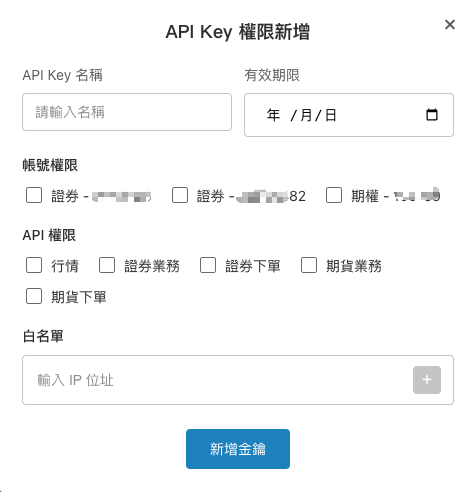
Click Add Key.
-
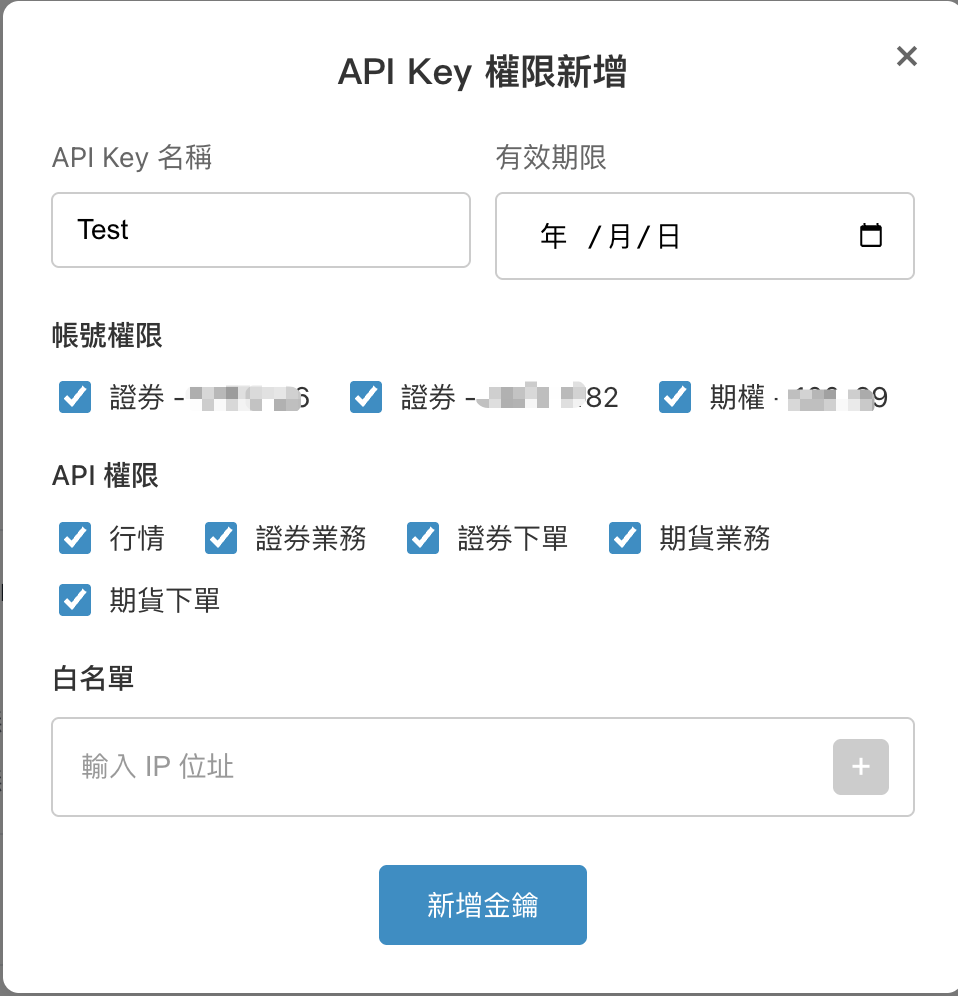
Configure permissions. (If no IP address or expiration date is entered, no restriction applies.)
-
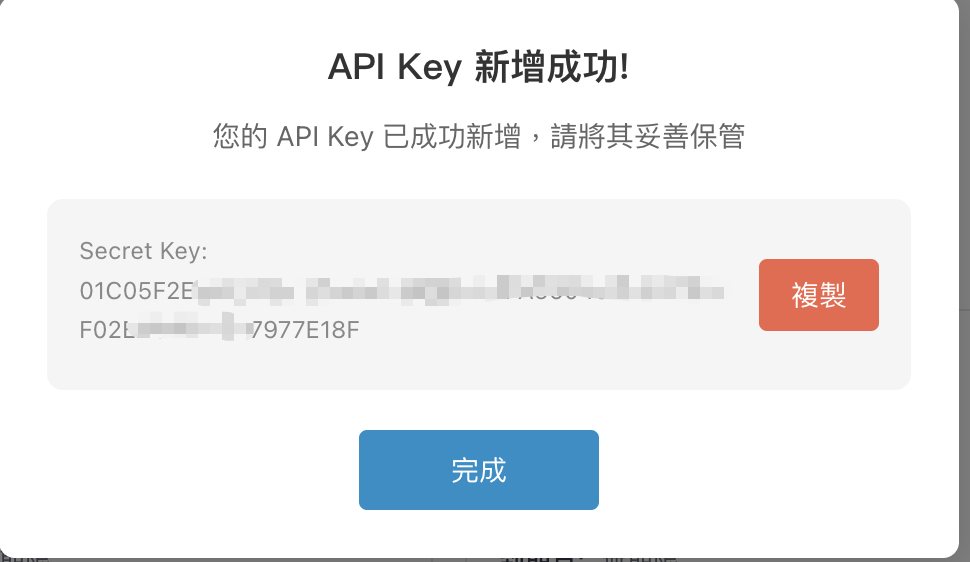
After setup succeeds, the Secret Key is displayed. (After the Secret Key window is closed, it will not be displayed again.)
-
-
View the details of or disable a previously created key. (You may apply for up to 30 keys.)
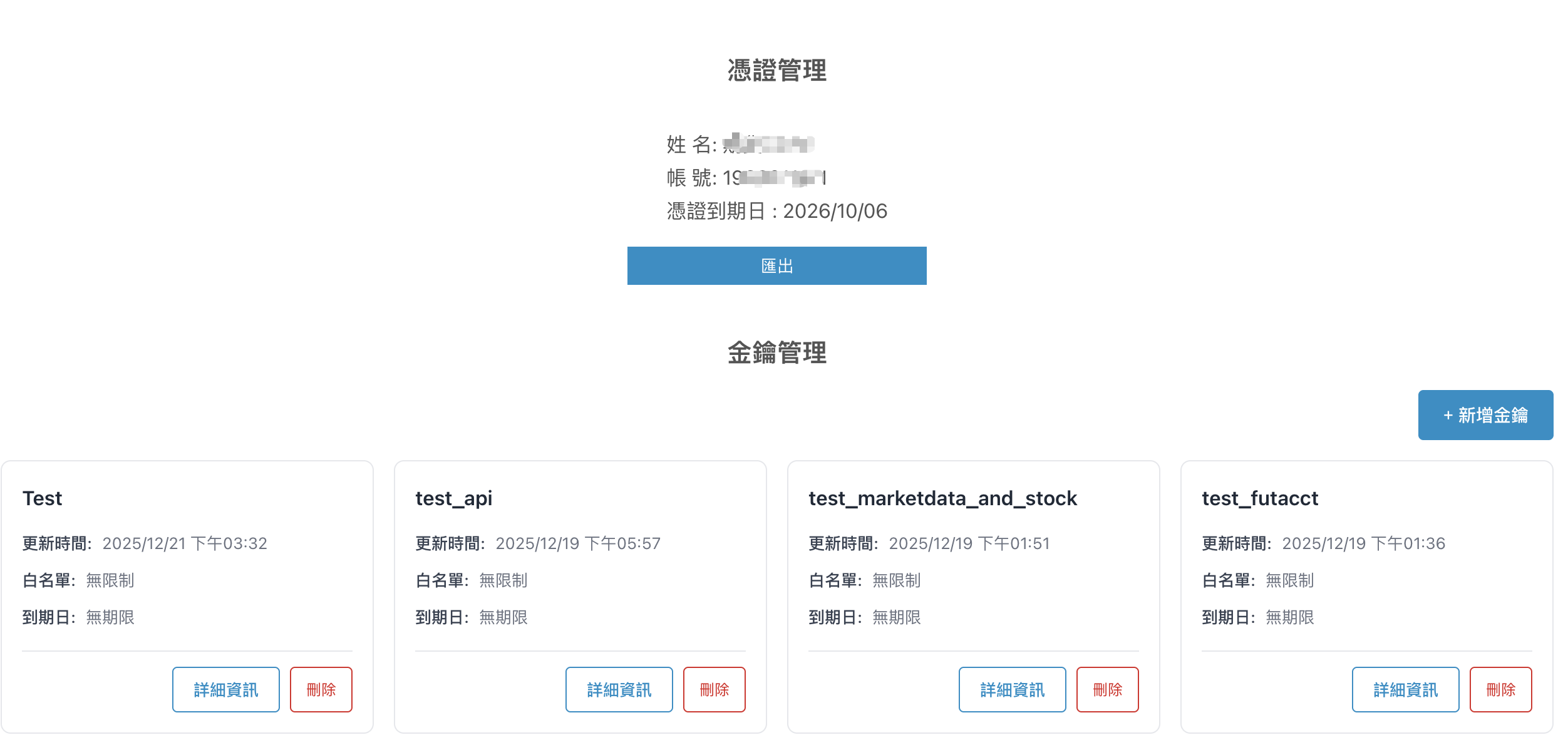
- This page provides the Fubon Neo API entry point for API Key management and certificate export.
- Exported certificates support cross-platform use; certificates issued through Certificate e-Manager can also be used to sign in to the API.
- API Keys can be used for login and permission control (subject to version support).
- After applying, you can adjust permissions or manage created keys as needed.
| Item | Description |
|---|---|
| Function | API Key management and certificate export |
| Applicable product | Fubon Neo API |
| Primary uses | Certificate export, login authentication, and permission control |
| Related pages | API Key overview / Application process |